
Termica

A modern interface for the shell you already use.

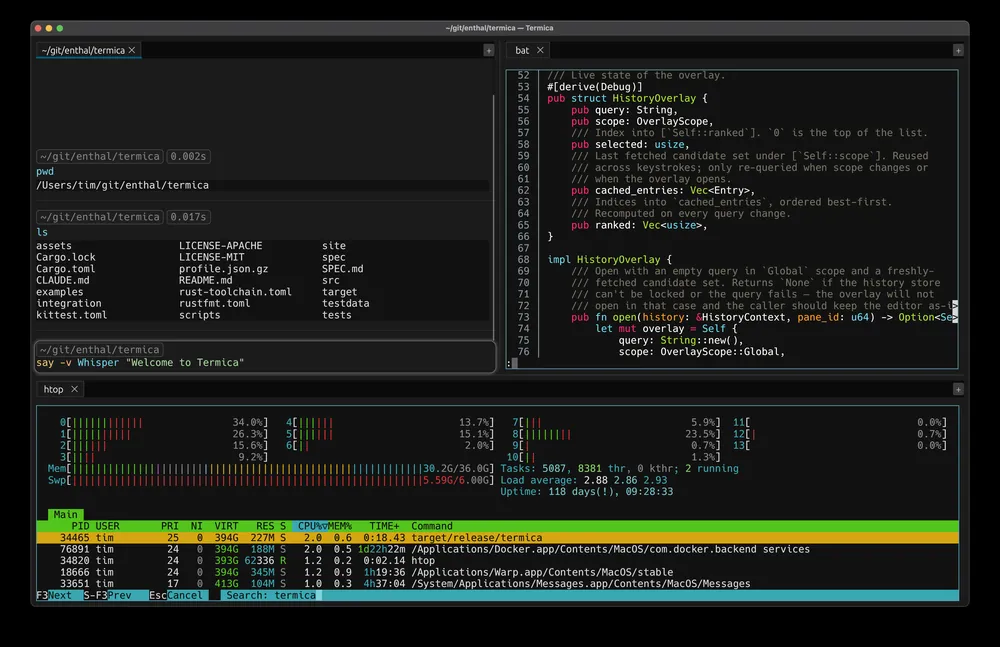
Termica running three panes: a stack of command blocks with cwd, exit-code and duration chips and a syntax-highlighted prompt; bat viewing Rust source; and htop running full-width.
Download

macOS · Apple Silicon macOS · Intel Linux · .deb Linux · .AppImage

Signed & notarized on macOS · All releases · GitHub

Find anything you've ever run

Press Ctrl+R for a fuzzy search across your whole history — this pane or everywhere. Matches highlight as you type, and your history follows you across sessions.
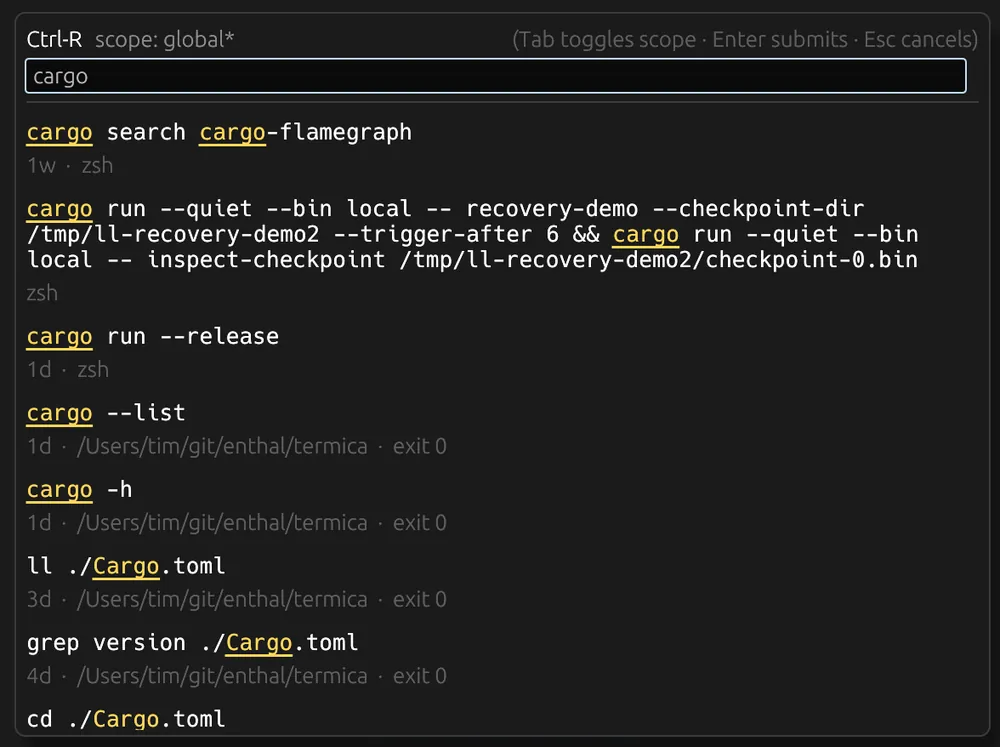
Termica's Ctrl+R history overlay: a query box over past commands with the matched substrings highlighted, plus relative timestamps, working directory and exit status.

Tab, and go

Completion that knows where things come from — filesystem paths, executables on your $PATH, and your command history — each labeled at a glance. Navigate with the arrow keys, accept with Tab.
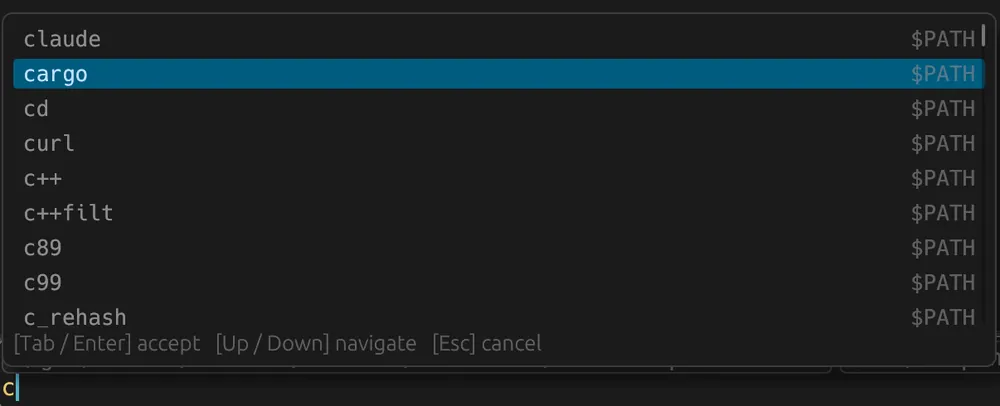
Termica's tab-completion popup completing a command prefix, each candidate tagged with its source — here, executables on $PATH.